This guide will explain how you can run 2 SWG accounts at the same time on your computer. This is very useful if you have more then one account, you can switch in between them. We have made this the easiest setup ever.
1. First step is real easy, download this file and install. It will
install a .cfg into you Starwars Galaxie install folder.

2. Here is what is inside of the .cfg file looks like if you were wondering.
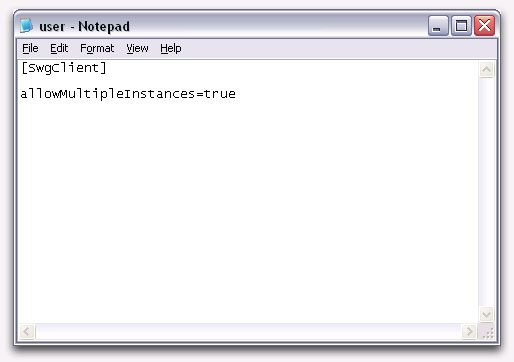
3. Now that you have installed the .cfg file all you have to do is startup SWG once your in press the Alt and Tab button this will minimize the game. If your mouse gets stuck in the upper left corner all you have to do is left click. Now start the second copy of SWG and that's it.

4. Once you have both SWG games going use the Alt and Tab button again to switch between them.



|
|